
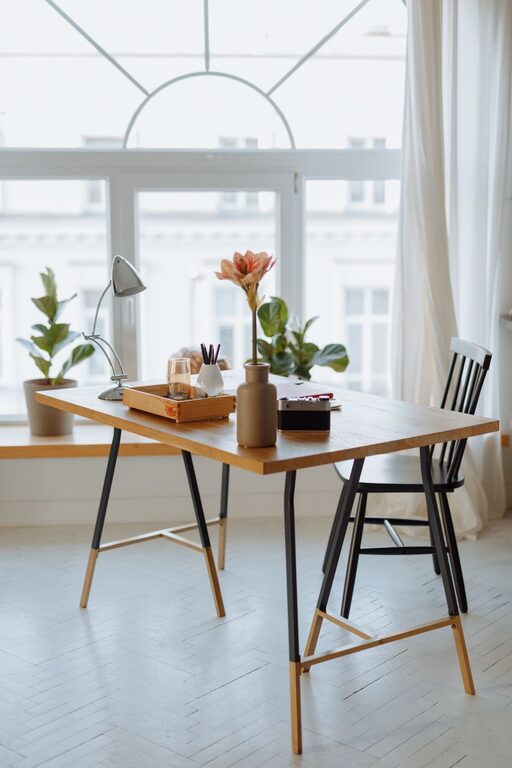
Creating a cozy and functional home workspace is essential for anyone working or studying from home. A well-designed workspace not only improves productivity but also helps maintain focus and motivation. Whether you have a dedicated room or a small corner, optimizing your space for comfort and efficiency can make a big difference. Here are some practical tips to help you build a workspace that feels inviting and supports your daily tasks.
Choose the Right Location
Finding the perfect spot for your workspace is the first step. Ideally, select a quiet area with minimal distractions. If a separate room is unavailable, try to designate a specific corner or nook for work. This separation helps your brain associate the space with productivity.
Consider Natural Light
Natural light can boost mood and reduce eye strain. Position your desk near a window to maximize daylight exposure. If natural light is limited, invest in a good desk lamp that provides warm, adjustable lighting to create a comfortable atmosphere.
Invest in Comfortable Furniture
Comfort is key to maintaining focus and avoiding fatigue. Choose a supportive chair that encourages good posture and adjust your desk height to keep your arms and wrists comfortable during work.
Desk Setup
Aim for a desk with enough surface area to hold your computer, documents, and any other essentials without feeling cluttered. Adjustable or standing desks are great options for varying your position throughout the day.
Organize Your Essentials
Clutter can distract and reduce efficiency. Use organizers, shelves, or drawers to keep supplies, cables, and paperwork tidy and within reach. Labeling boxes or files can save time when searching for important items.
Cable Management
Messy wires can make any space feel chaotic. Use cable clips, sleeves, or boxes to hide and bundle cords neatly. This keeps your workspace looking clean and prevents accidents.
Personalize Your Space
Adding personal touches can make your workspace more inviting and help you feel comfortable. Consider including plants, artwork, or photos that inspire you. Greenery is not only decorative but can also improve air quality and reduce stress.
Minimize Distractions
A peaceful environment encourages concentration. Consider noise-canceling headphones if your workspace isn’t fully quiet, or play soft background music if it helps your focus. Keep electronic notifications muted where possible during work hours.
Keep Ergonomics in Mind
Ergonomics play a big role in comfort and long-term health. Ensure your monitor is at eye level to avoid neck strain. Position your keyboard and mouse so that your wrists are straight and your elbows rest comfortably at your sides.
Maintain Good Air Quality and Temperature
A fresh, well-ventilated workspace supports alertness and well-being. If possible, open a window occasionally or use a small air purifier. Adjust the room temperature to a comfortable setting so you stay warm or cool enough to concentrate.
Schedule Breaks and Movement
Working in one place for long periods can lead to stiffness and fatigue. Set a timer to remind yourself to stand, stretch, or take short walks. Incorporating movement into your day enhances circulation and mental clarity.
Use Technology Wisely
Leverage tools and apps that boost productivity without overwhelming you. Set up your computer with the necessary software, ensure a fast and stable internet connection, and organize digital files systematically for quick access.
Keep It Simple
Sometimes less is more. Avoid overcrowding your workspace with excessive decorations or gadgets. A clean, simple environment fosters calm and helps you stay organized.
—
Creating a cozy and functional home workspace is all about balance—comfort meets practicality. By thoughtfully choosing your location, furnishing your space with care, staying organized, and adding personal touches, you can craft a workspace that supports your productivity and makes each workday a little brighter. Start with these tips, and adjust your setup as you discover what works best for your habits and preferences.